
Reading and editing with /state
/stateshows the ledger: each hop, its status, and the proof behind it./state objective <text>sets the engagement objective./state set <row> <status>and/state remove <row>edit rows./state wipeclears the ledger.
/state renders it as a table in chat:
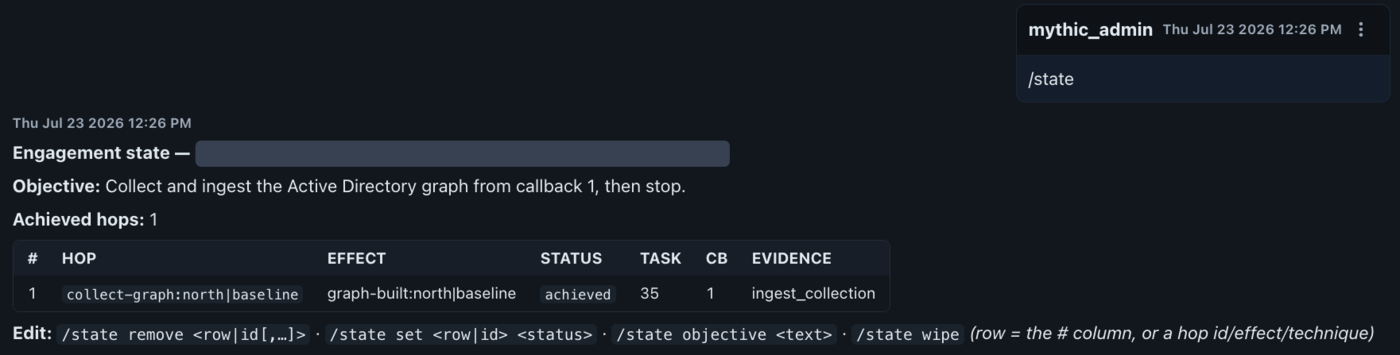
/state in a Sage channel: the objective, the achieved-hop count, and one row per hop with its effect, status, Mythic task, callback, and evidence. The operation name is redacted.
achieved: that status
requires a real proof envelope, so the ledger never records your optimism as fact.
Importing completed task work
Not every effect starts as a Sage run./state reconcile [task_id] [apply] imports verified
effects and credentials from completed Mythic tasks into the ledger. It runs as a dry-run
unless you pass apply, because task output is attacker-influenceable. A compromised host can
feed fake state into a task result, and the dry-run default makes you look before it lands in the
durable record.
Identity reporting
/report shows retained identity and membership observations shared across assisted chats in the
same operation engagement, unknown access prerequisites, and authored next checks. It uses
matched task observations Sage has collected; no model call for the report itself.
Two caveats apply: observations may be historical or incomplete, and a reported identity or host
membership does not prove current authentication or access.
Persistence and restarts
The ledger persists once written. It is a JSON file per Mythic operation (state_<operation>.json)
in Sage’s .sage_engagement/ directory, separate from the sage.db SQLite store, and it survives
Sage restarts. The ledger survives a restart, but a supervised chat’s conversational scope does
not. See Runtime state and resets for where state lives, what a
restart does to your chats, and how to archive or erase it.