
stdio (default), sse, and http / streamable_http. Remote servers take a
url and optional headers. Set "ssl_verify":false only when you accept an unverified
connection; to trust a private CA instead, see Custom TLS certificates.
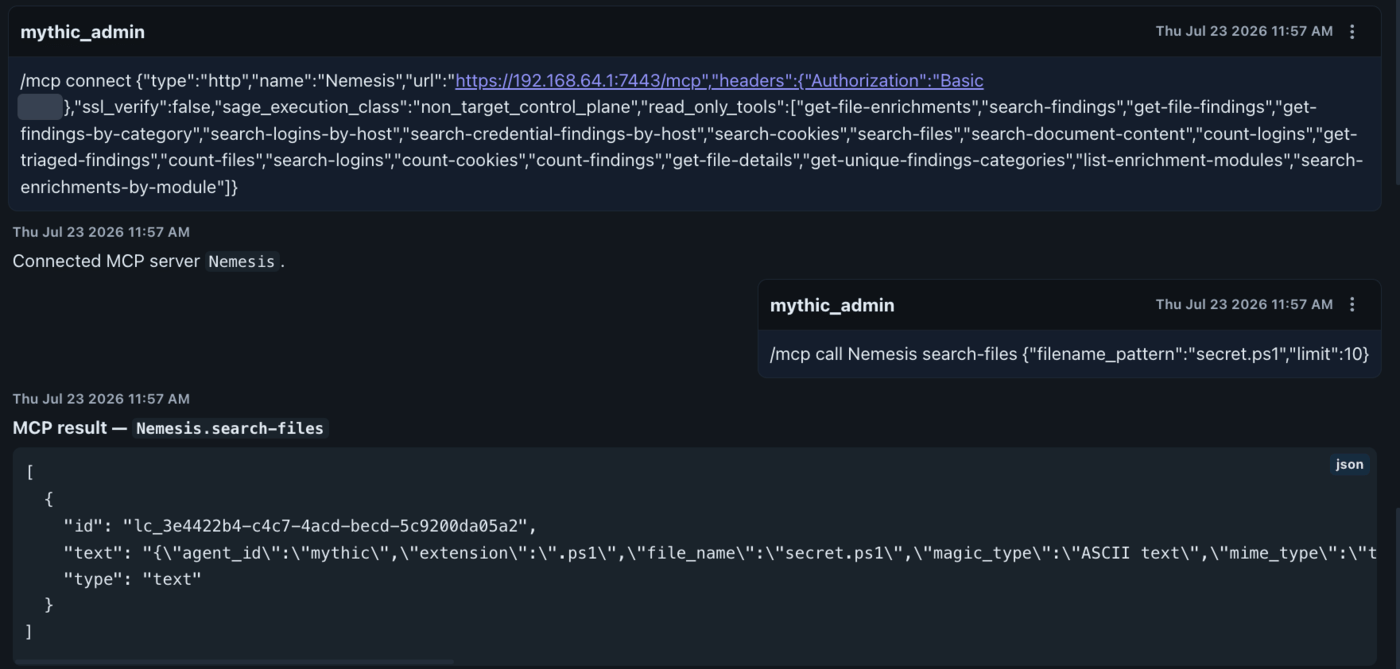
Connecting a Nemesis MCP server over HTTP, then calling one of its read-only tools with /mcp call. The authorization header value is redacted.
Two rules that will otherwise trip you up
sage_execution_classis required. A connect with no execution class defaults tounclassifiedand is refused before it connects. To attach a third-party server set"sage_execution_class":"non_target_control_plane". This is deliberate: MCP servers are control-plane only: Sage never reaches a target through one.- MCP tools default to guarded. An MCP tool not explicitly classified is treated as guarded: it requires approval in supervised mode and is denied in conversation mode.
mcp_tool_policy.json file in the Sage payload root
(Payload_Type/sage/); set SAGE_MCP_TOOL_POLICY to override the file path. The policy file
classifies tools as read_only (freely available) or guarded (approval-gated in supervised,
denied in conversation):
Managing servers
For an agent to use a server during a turn, name it in your message (for example, “using
my-server, fetch …”).